
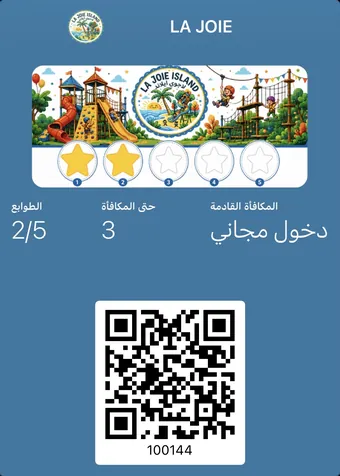
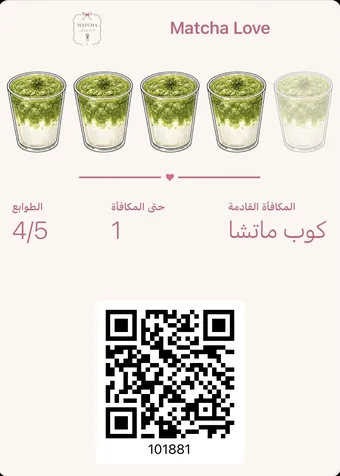
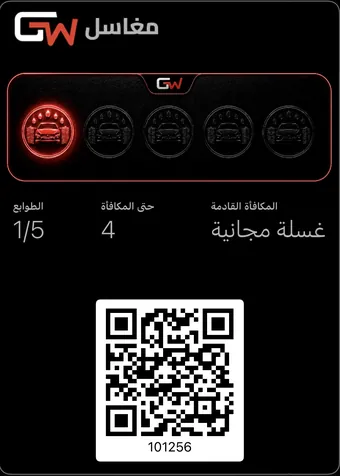
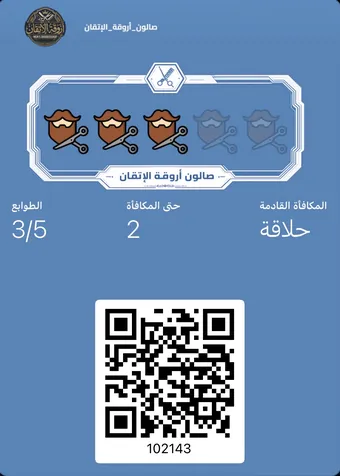
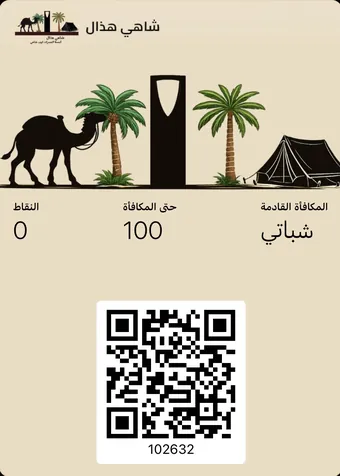
A loyalty card in Apple Wallet or Google Wallet is a digitally signed pass in your store’s name that sits in the phone wallet beside the bank cards. It is added by QR code with no app download, updates itself after every stamp, and delivers notifications straight to the lock screen.
How does the card reach the wallet?
- The customer points their phone camera at a QR code — no reader app, no URL to type.
- The card page opens and shows a single button matching their device.
- Tapping it downloads the signed pass file, which the operating system picks up and offers to add.
- The card settles into the wallet, and the device registers with the update service automatically.
- Reward
- A free speciality coffee
- Branch
- All branches
- Your logo and shop name The first thing a customer sees when the wallet opens. Keep it legible small — this space is never wider than a thumb.
- The progress strip Stamps or points collected. Seeing it one stamp short is the single strongest pull back through your door.
- The detail fields Reward, branch, balance, expiry. They appear on the back of the pass and update themselves after every visit.
- The redeem code The barcode your cashier scans. Your customer needs no app and no login to show it.
- The serial number Ties this pass to that one phone. It is what makes the card recoverable when they change device.
How does the card update after each visit?
When the cashier issues a stamp, a silent push is sent to the customer’s device, which pulls the new version of the pass and replaces the old one. The customer does nothing: they open their wallet later and find the right number. This works on iPhone and Android identically from their point of view, whatever differs beneath the surface.
The lock screen notification — the channel you own
This is the single most important technical feature here. Text messages cost money, social posts reach a fraction of your followers, and email gets ignored. A wallet card notification appears on the lock screen with no intermediary, because the customer consented to it when they added the card.
- "One stamp to go" — the highest response rate, because the pull is at its peak.
- "It has been a month since your last visit" — recovers someone drifting away before they disappear.
- A quiet-day offer — fills dead hours instead of adding to the peak.
- "Your reward is ready" — closes the cycle and starts the next one on the same visit.
Nothing bills you per message here, and that is precisely why the channel needs a limit you impose yourself. No invoice arrives to warn you that the message which finally irritated someone has gone out. Treat the pass as a card your customer chose to keep, and send only what a card would reasonably say.
A paper card is silent. This one speaks.
When one stamp is left, or a customer has been away a month, the message lands on their lock screen — no per-message SMS bill, no ad platform in the middle.
- No messaging cost
- No app for the customer
- Read before the phone is unlocked
Apple Wallet and Google Wallet — practical differences
| Apple Wallet | Google Wallet | |
|---|---|---|
| Availability | Built into every iPhone, cannot be removed | A Google app, preinstalled on most devices |
| Adding a card | One tap from the browser | One tap from the browser |
| Automatic updates | Yes | Yes |
| Lock screen notifications | Yes | Yes |
| Card surfacing near the shop | Possible, per device settings | Possible, per device settings |
Frequently asked questions
Does my customer need an Apple or Google account?
Adding a card to Apple Wallet needs no extra sign-in. Google Wallet needs a Google account, which already exists on any Android device.
Does the card display in Arabic?
Yes, and right-to-left when the device language is Arabic, with your Arabic names exactly as you wrote them.
What if the customer deletes the card?
Their balance lives in your records, not on their phone. Scanning the code again restores the card with the same balance.
Can I change the card colour after issuing?
Yes, and the change reaches every card already in your customers’ wallets automatically within minutes.